Brag Document: What It Is, Why PMs Need One, and a Free Template
Learn what a brag document is, see real product manager examples, and grab a free template. Or skip the maintenance and let Prodlog do it for you.
A brag document is a private, working record of your accomplishments, decisions, and outcomes over time. In practice, it is the source document you use to write self-reviews, update your resume, prep interviews, and negotiate scope or compensation with evidence instead of memory.
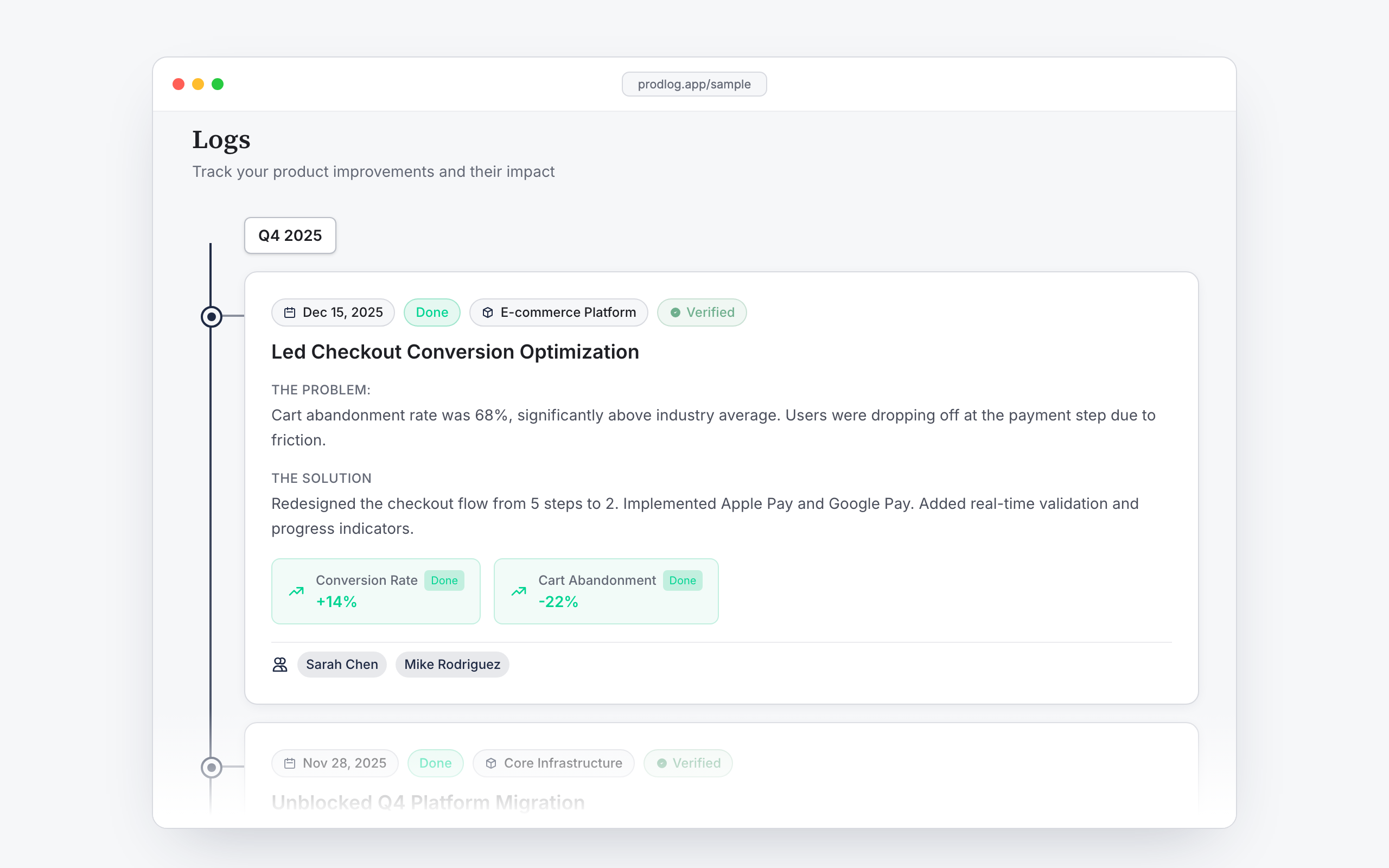
For PMs, this matters because you are judged on impact, not effort. And most people cannot accurately recall what happened in Q1 when Q4 review season arrives. You remember the launch, but not the tradeoff that prevented a bad launch. You remember the metric moving, but not the sequence of decisions that made it move. A good brag document closes that gap. If you want a concrete reference while you read, see what a finished log looks like.
What is a brag document?
A brag document is a living, informal record of work impact. You keep it up to date as work happens, then reuse it when you need polished outputs. The idea became popular in engineering circles through a practical blog post, and later got mainstream attention in staff-level career guidance books. The core message stayed the same: document your impact continuously, not retroactively.
A brag document is not a

Resume
A resume is a compressed public artifact optimized for screening. Your brag document is private and verbose by design. It keeps the raw material behind each line on your resume so you can tailor later without guessing.

Daily work journal
A journal tracks activity; a brag document tracks impact. Attending a roadmap sync may belong in a calendar, but in a brag document it only belongs if it changed a decision, reduced risk, or moved an outcome.

Formal self-review
A self-review is a periodic narrative for a manager and calibration process. A brag document is the upstream dataset that makes that narrative accurate and faster to produce.
Why product managers specifically need one
PM work is often invisible when compared with work from functions that ship tangible artifacts. A PM might spend two weeks clarifying a scope boundary, aligning legal constraints, and sequencing dependencies so a team can execute cleanly. The outcome is real, but the contribution can look like "just meetings" if not documented.
Credit also gets diluted faster in PM contexts because most wins are cross-functional. Engineering, design, data, support, and GTM all contribute, as they should. But the exact PM contribution can disappear unless you explicitly track what decision you owned, what alternatives you rejected, and what risk you reduced.
Review cycles are usually six to twelve months apart. Human memory is not built for exact recall across that span, especially under pressure. By review time, recency bias takes over: last sprint feels important, last quarter gets blurry.
This creates a credibility problem, not just a memory problem. PM outcomes are collaborative by nature, so your account is easier to dispute, reinterpret, or forget unless it is specific and timestamped. The stronger your role gets, the more this matters. If your process still depends on "I think this happened around April," your narrative will be weaker than your actual work.
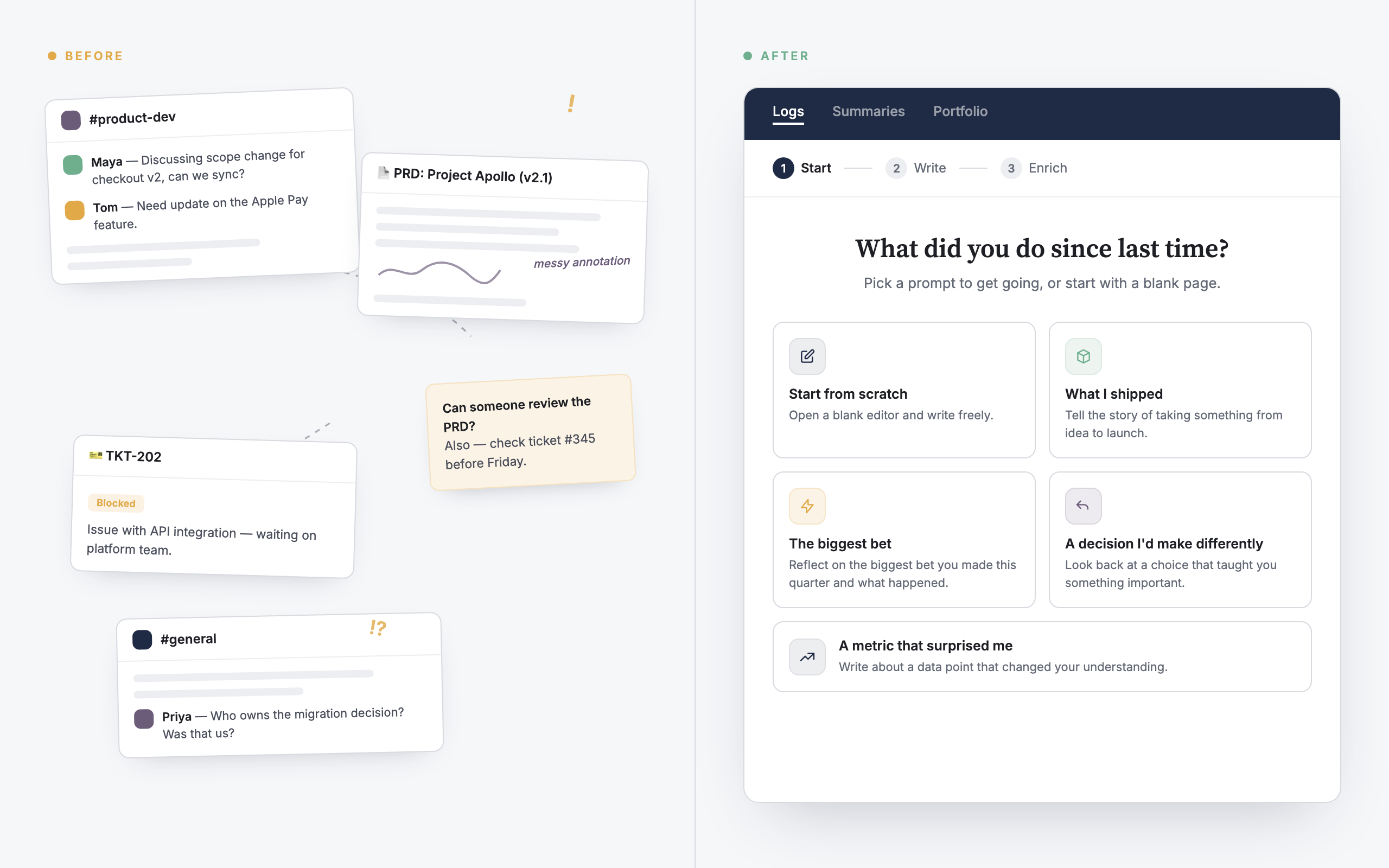
If you want a clearer picture of how ongoing logging turns into review-ready outputs, here is the flow. And if your long-term goal is a public narrative, the same source material can feed your product manager portfolio.
What to include in a PM brag document
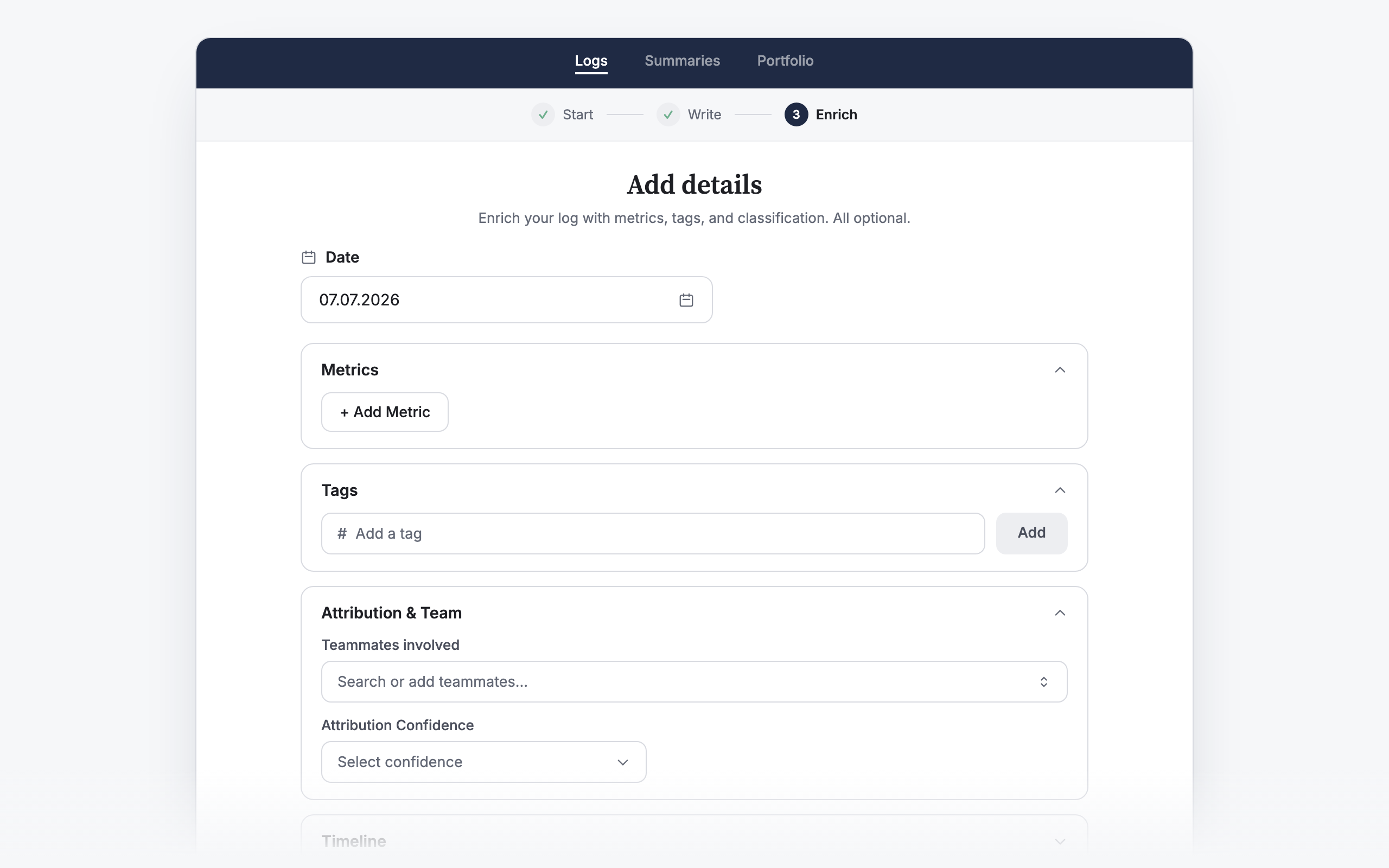
A useful PM brag document is structured enough to scan quickly and detailed enough to defend under questions. Think of each entry as a compact case file.
The initiative or project
Name the initiative clearly and include enough context that future-you can recognize it immediately. "Checkout v2 for annual plans" is better than "billing work." Add the business context in one line so the why does not disappear.
Your specific role or decision
Be precise with verbs. "Led," "drove," "decided," and "influenced" are not interchangeable.
- Led: you owned direction and cross-functional execution.
- Drove: you pushed momentum and removed blockers, but ownership may have been shared.
- Decided: you made the call after evaluating tradeoffs.
- Influenced: you shaped the direction without final authority.
This precision protects your credibility. It also makes calibration conversations cleaner because people can map scope and ownership accurately.
Collaborators
List key collaborators by function or name. This is not politics; it is context. PM wins are team wins, and documenting collaborators makes your entry more trustworthy while giving you a quick reference for endorsements or follow-up evidence later.
Metric or observable outcome
Attach outcomes whenever possible: conversion, retention, support volume, cycle time, defect rate, adoption, or risk avoided. If a metric is not available, write the strongest observable proxy and why it matters. "Reduced stakeholder escalation loops from weekly to monthly" can be valid impact if stated concretely.
Date or quarter
Always timestamp the entry. Quarter plus month is usually enough. Without dates, your document becomes a pile of disconnected anecdotes that are hard to sequence in a review narrative.
Deprioritization decisions (what you said no to)
This is the most underused part of a PM brag document, and one of the most important. Good PM work is not only what you launched. It is also what you intentionally did not launch.
Capture decisions where you said no, delayed scope, or protected focus, plus the reasoning and downstream result. These moments often show judgment better than feature delivery because they reveal your decision framework under ambiguity.
Process, mentoring, and operating improvements
Include process improvements and mentorship outcomes, not just product launches. If you introduced a better PRD rubric, reduced handoff churn, coached a new PM through prioritization, or improved stakeholder alignment rituals, that belongs here. Senior PM performance depends on operating leverage, and operating leverage is easy to forget if you only track shipped artifacts.
PM brag document examples
Below are illustrative examples you can copy and adapt.
Shipped feature with a hard metric
2026 Q1- Initiative
- One-click trial-to-paid upgrade in self-serve billing
- Role
- Led prioritization and sequencing across engineering, design, lifecycle marketing, and analytics. Final decision-maker on scope cuts for v1.
- Collaborators
- Eng lead, product designer, lifecycle manager, data analyst
- Outcome
- Trial-to-paid conversion increased from 11.8% to 14.1% over six weeks. Estimated quarterly incremental ARR impact: mid six figures.
- Notes
- Removed two nice-to-have billing options from v1 to protect launch timing and measurement quality.
Team/process initiative
2026 Q2- Initiative
- Decision log + PRD quality checklist for cross-team initiatives
- Role
- Drove adoption and authored first template version; influenced engineering managers to require decision snapshots before kickoff.
- Collaborators
- Three engineering managers, staff designer, PM peer group
- Outcome
- Fewer re-opened debates in execution, cleaner handoffs, and planning reviews dropped from two rounds to one on most initiatives.
- Notes
- No single KPI moved dramatically, but coordination cost decreased and execution confidence increased.
Strategic deprioritization
2026 Q2- Initiative
- Declined AI personalization expansion for low-traffic segment
- Role
- Decided to defer after opportunity-cost analysis and risk review; proposed alternative focused on activation bottleneck.
- Collaborators
- Data science lead, revenue ops, sales engineering
- Outcome
- Avoided a multi-sprint detour with weak short-term upside. Redirected capacity to onboarding fixes that improved week-1 activation by 8% in pilot cohorts.
- Notes
- Documented assumptions, reversal criteria, and revisit date to avoid permanent bias against the idea.
Swipe to see more examples →
How to write a brag document (step-by-step)
- 1
Pick a cadence you can actually sustain
A weekly five-minute habit beats a quarterly memory dump every time. If your cadence is too ambitious, it will fail. Most PMs do well with one short update each Friday or after any material decision.
- 2
Define a simple entry template
Use a repeatable format: initiative, role, collaborators, outcome, date, and evidence link. Templates reduce friction and keep quality consistent when you are busy.
- 3
Pull evidence from places where work already happens
Good source material is already in your workflow:
- Slack threads where decisions were made
- PRDs and spec docs with scope rationale
- Shipped tickets and release notes
- Stakeholder thank-you messages
- 1:1 notes with your manager
- Analytics snapshots tied to launch windows
Do not wait for perfect evidence. Capture now, refine later.
- 4
Separate "activity" from "impact"
When adding an entry, ask: what changed because of this? If the answer is unclear, rewrite until it is clear. This one question improves the quality of your brag document more than any template tweak.
- 5
Log tradeoffs, not just outcomes
Document what alternatives you considered and why you chose one path. PM performance is often evaluated on judgment quality, not only final metrics.
- 6
Add context before details fade
Within 24-48 hours of an important moment, add short context notes: constraints, stakeholders, risks, and rationale. These details disappear quickly and are hard to reconstruct.
- 7
Review monthly and tag reusable stories
At month-end, scan entries and tag candidates for review packets, interview STAR stories, and resume bullets. You will thank yourself later.
- 8
Protect against the most common failure mode
The most common failure mode is predictable: people start strong, then stop after three to four weeks because there is no trigger to remember updates. Fix this by attaching the habit to an existing routine (weekly planning, retro closeout, or Friday shutdown checklist). If there is no trigger, the system will drift.
Bring it to your 1:1s
Read the doc the day before every 1:1 and bring the two or three entries your manager should hear about. Or let Prodlog lay them out for you: see 1:1 prep.
Free brag document template
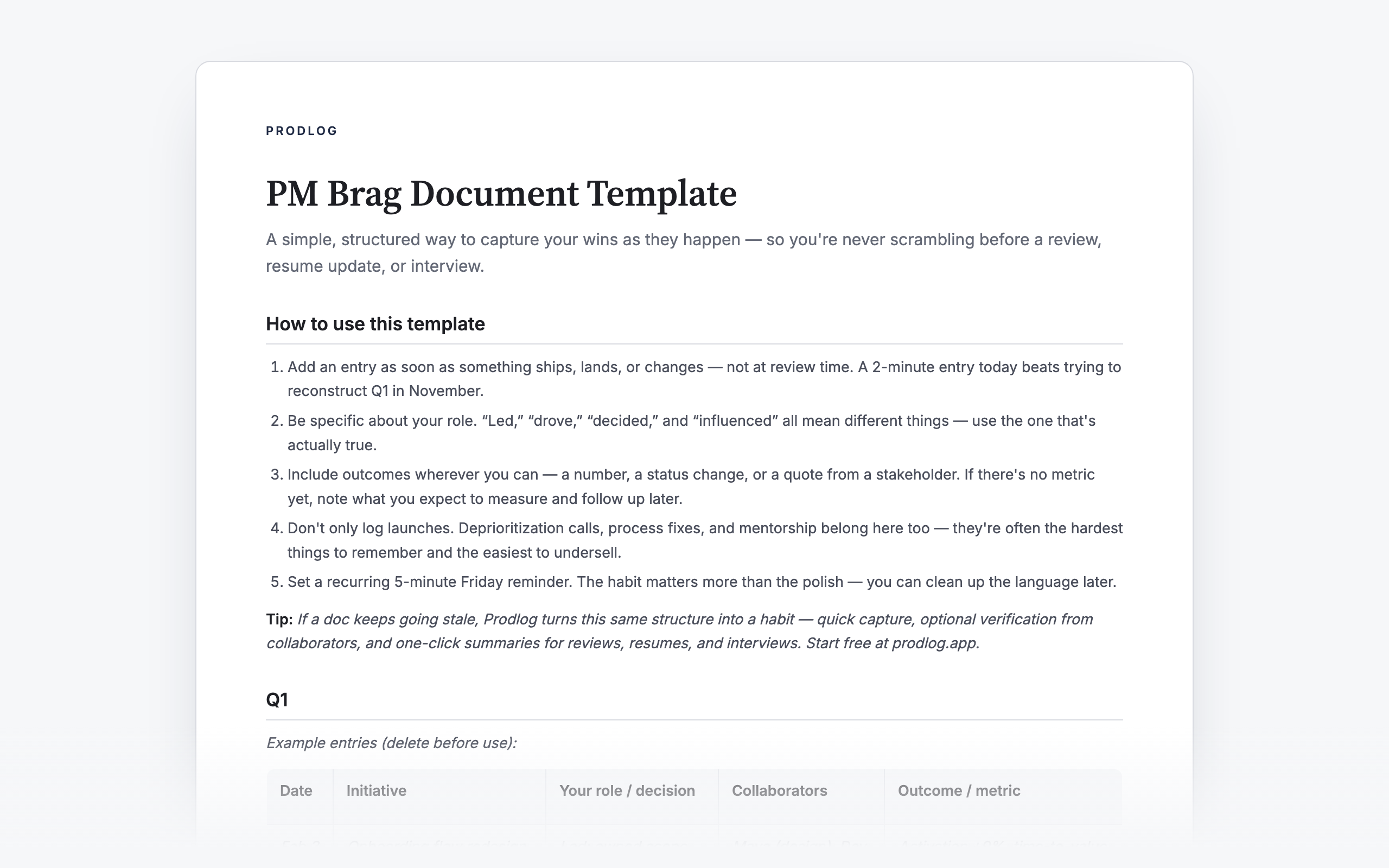
If you want a clean starting point, use a template instead of building your structure from scratch. This template includes quarterly sections, prompt questions, and example entries already filled in so you can see the expected level of detail.
Brag document vs. dedicated tools: when a doc isn't enough
A plain doc works well at first. It starts to break when you need polished outputs quickly, need external proof for collaborative wins, or stop updating because there is no habit loop.
That is where dedicated tools can help. In Prodlog, you log as things happen, from Slack, email, your phone or the web. Before every 1:1 it shows what you've logged since the last one, at review time it drafts your answers from those entries, and when you move it becomes your resume bullets, STAR stories and portfolio. If you want the full mechanics, see how it works. If you want to inspect the output style first, browse a sample.
FAQ
What's the difference between a brag document and a work journal?
A work journal records what happened day to day. A brag document records what mattered and what changed because of your work. Journals are useful inputs; brag documents are decision-ready career evidence.
How often should I update my brag document?
Weekly is the safest default for most PMs. The goal is consistency, not volume. Five focused minutes each week is usually enough to keep entries accurate.
Should I share my brag document with my manager?
Usually you should share selected parts, not the entire raw document. Treat the brag document as your source of truth and curate excerpts for 1:1s, mid-year check-ins, and formal reviews. Sharing targeted sections keeps the conversation focused on impact.
Is a brag document the same as a self-review?
No. A self-review is the polished narrative you submit at a specific point in time. A brag document is the ongoing evidence base that makes that narrative faster to write and harder to challenge.
Can a brag document help with salary negotiation?
Yes, because salary conversations depend on demonstrated scope and measurable impact, not general effort. A well-maintained brag document gives you concrete examples, outcomes, and timeline evidence to anchor negotiation discussions.
Start now
Keep your own work log in Prodlog. It preps your 1:1s and drafts your reviews. Free to start, no card.
Free forever. Unlimited entries, no card.