Your best work is already written down somewhere.
It’s just useless by the time you need it.
Paste it in. Prodlog turns it into a work log you own. It preps your 1:1s, drafts your reviews, and comes with you when you change jobs.
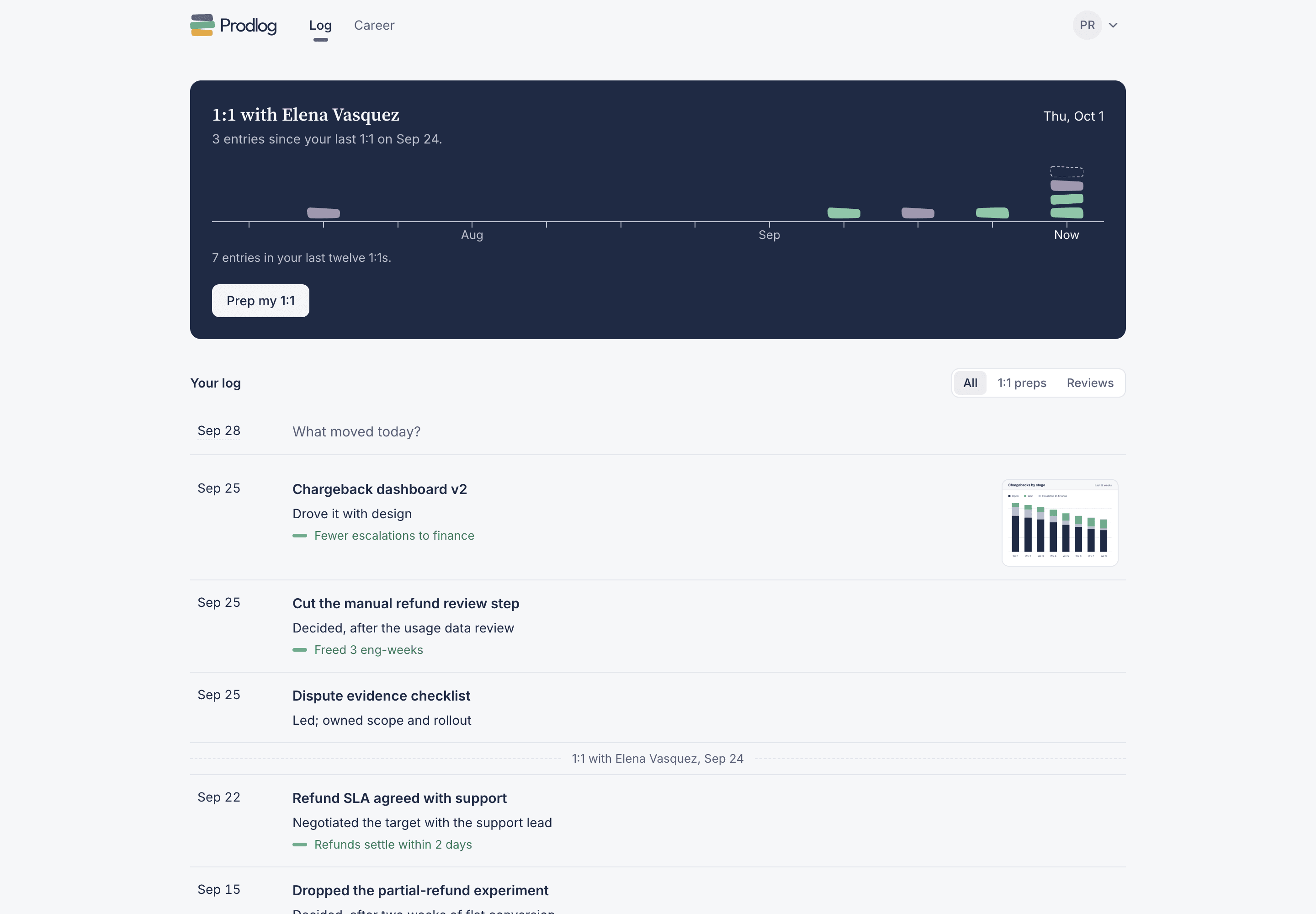
1:1 with Elena Vasquez
Thu, Oct 15
1 entry since your last 1:1 on Oct 8.
Your log
Chargeback dashboard v2
Drove it with design.
Refund SLA agreed with support
Negotiated the target with the support lead.
Dropped the partial-refund experiment
Decided, after two weeks of flat conversion.
Onboarded the new dispute analyst
Owned the first-week plan.
Before you ask.
“I already keep notes in Slack.”
Good, keep doing that. Paste them in, or log straight from Slack, and Prodlog turns them into entries. You don’t start a new habit. You get something back from the one you have.
“I never keep it up.”
You don’t need a ritual. Prodlog asks the day before your 1:1, when you’re already thinking about what to say. Answer from Slack, your phone or your inbox.
“My work isn’t that impressive.”
The best entries aren’t launches. A scope you cut, a bad launch you stopped, a PM you coached: those are the ones you forget first and undersell most.
“My company already has a review tool.”
Keep using it. Your company’s tool keeps your history for your company. Prodlog keeps it for you, and it comes with you when you leave.
“Is my log private?”
Yes. Nothing leaves your log unless you send it or publish it.
One log. Four moments it pays off.
You log when something happens. Prodlog hands it back when you need it.
Every week
Log from your notes, Slack, email or your phone, when it happens.
Cut the manual refund review step
Decided, after the usage data review.
Chargeback dashboard v2
Drove it with design.
Before every 1:1
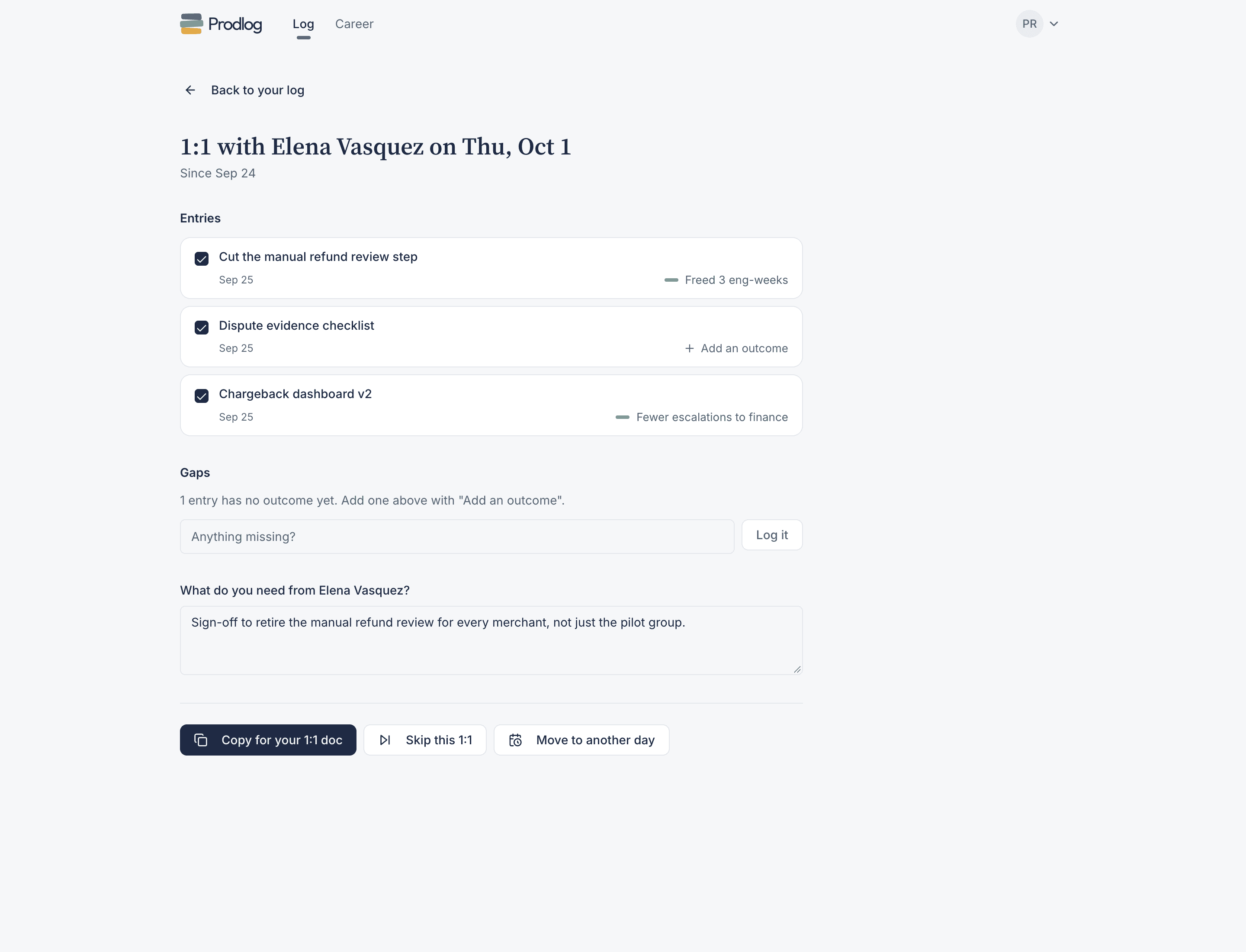
Everything since the last one, ready to paste into your 1:1 doc.
Your 1:1
Thu, Oct 22
Since your last 1:1 on Oct 15
Cut the manual refund review step
Dispute evidence checklist
Chargeback dashboard v2
What do you need from your manager?
Sign-off to retire the manual refund review for every merchant, not just the pilot group.
Review season
A draft for each review question, built from your own entries.
What did you deliver this cycle, and what was the outcome?
I scoped and launched the refund status API end to end in May, including the call to cut two endpoints to hold the date. Support tickets about refund status fell 34% in the first month. Before that, nine merchant interviews I ran in March moved the disputes work from a redesign to notification timing, and dispute-related merchant contacts fell 18% once it shipped.
Where did you show judgment under uncertainty?
I cut the two reconciliation endpoints after none of our three design partners needed them before Q4, and chose a 15 minute batch over real-time webhooks once Rob walked me through the retry cost.
When you change jobs
Resume bullets, STAR stories and a portfolio from what you actually did.
Priya Raghunathan
Associate Product Manager
Refunds & Disputes, payments infrastructure
- Launched the refund status API end to end for every merchant with zero rollbacks; refund status support tickets fell 34% in the first month.
- Ran 9 merchant interviews that moved the disputes roadmap from a redesign to notification timing, cutting dispute-related contacts 18%.
- Cut two of five planned endpoints after checking with three design partners, holding the May launch date.
Finding the real dispute problem
Same entries, different shape. Generated, then edited by you.
Your 1:1 is the one meeting about your work.
The person across the table writes your review. Prodlog lays out everything since your last 1:1, flags what’s missing an outcome, and asks what you need from your manager. Copy it into your 1:1 doc and go.
No regular 1:1s? Pick a day and get a weekly recap instead.
The habit fails for one reason: nothing reminds you.
Prodlog asks the day before your 1:1, when you’re already thinking about what to say. And when something happens, logging it takes seconds from wherever you are.
It asks you
On your phone.
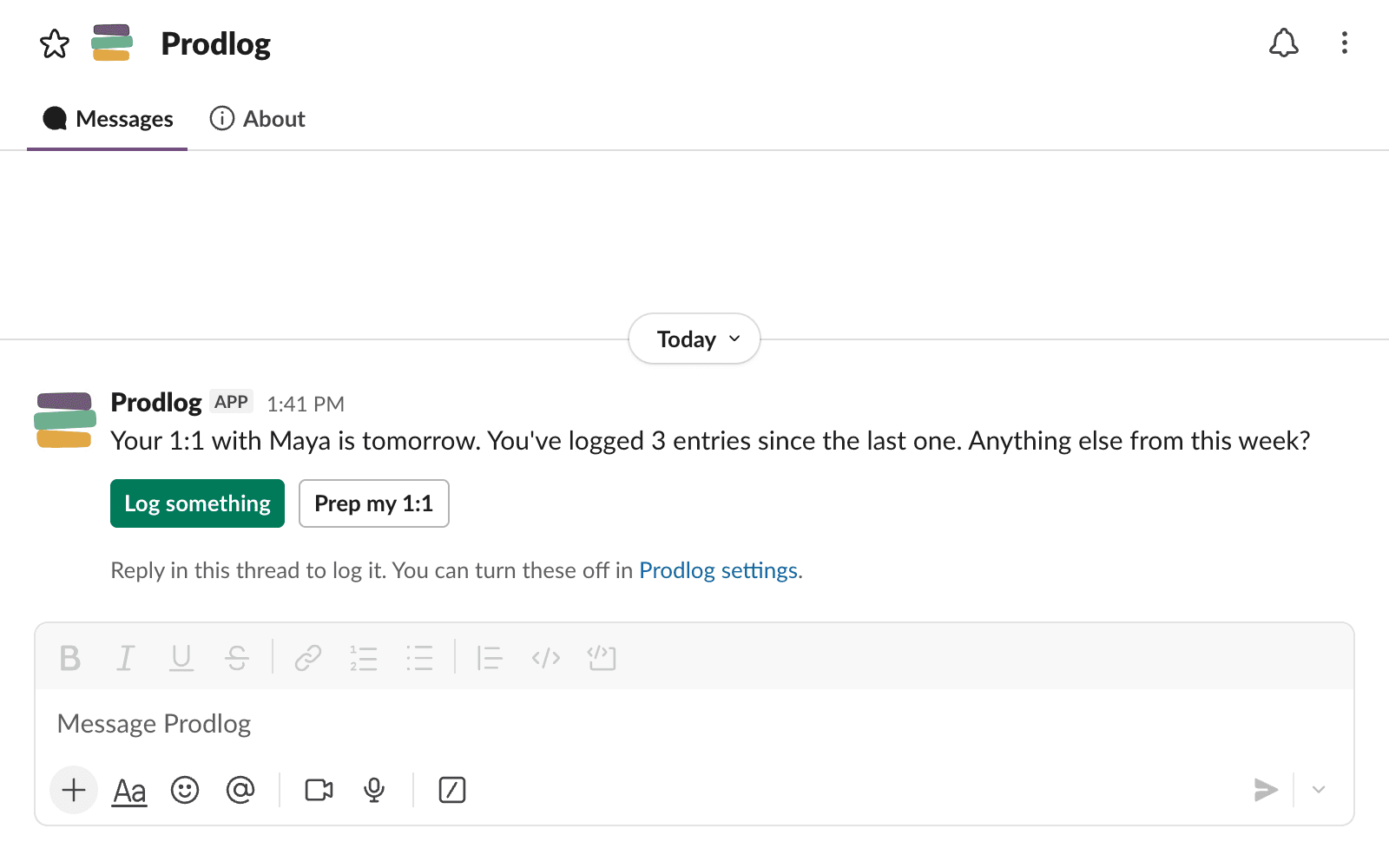
Open the app and your next 1:1 is the first thing you see, with what you’ve logged since the last one.
In Slack.
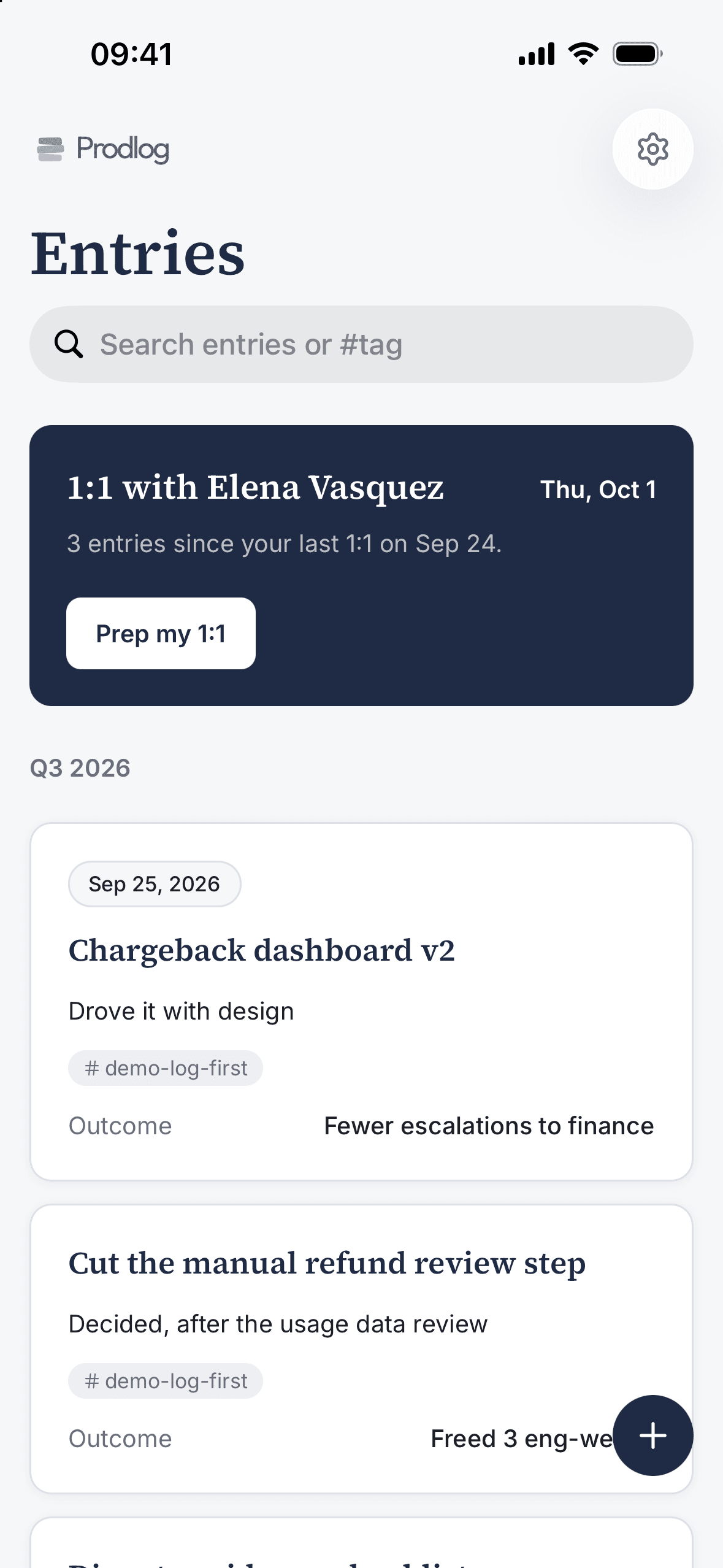
The day before your 1:1, a message asks what else happened since the last one. Reply in the thread and it’s logged. Turn on the Friday prompt and it also asks at 4pm what shipped.
Not on Slack? The reminder comes by email, if you haven’t logged that week.
 ProdlogAPP
ProdlogAPP5:00 PM
Your 1:1 with Elena is tomorrow. You’ve logged 3 entries since the last one. Anything else from this week?
1 reply
you5:12 PM
dispute evidence checklist is live, support already using it
And logging takes seconds, wherever you are
On the web.
Type it on the first line of your log and press ⌘ Enter.
By email.
Forward the thread to addlog@in.prodlog.app. It comes back as an entry.
- To
- addlog@in.prodlog.app
- Subject
- Fwd: Refund SLA, final numbers
Support signed off on the 2 day target. Forwarding the thread so it’s in my log.
By voice.
Hold the app’s quick action, say what happened, put the phone away. A rambling thirty second voice note comes back as a dated entry with the product and any numbers you said, ready to check before it saves. Your speech is transcribed on the device, never uploaded.
Get Prodlog where you work.
The iPhone app, and the Slack app for your workspace.


Your AI chats already know what you shipped.
Connect Prodlog to Claude, ChatGPT or any MCP client. Ask it to log what you did this week, or set it to do it every Friday.
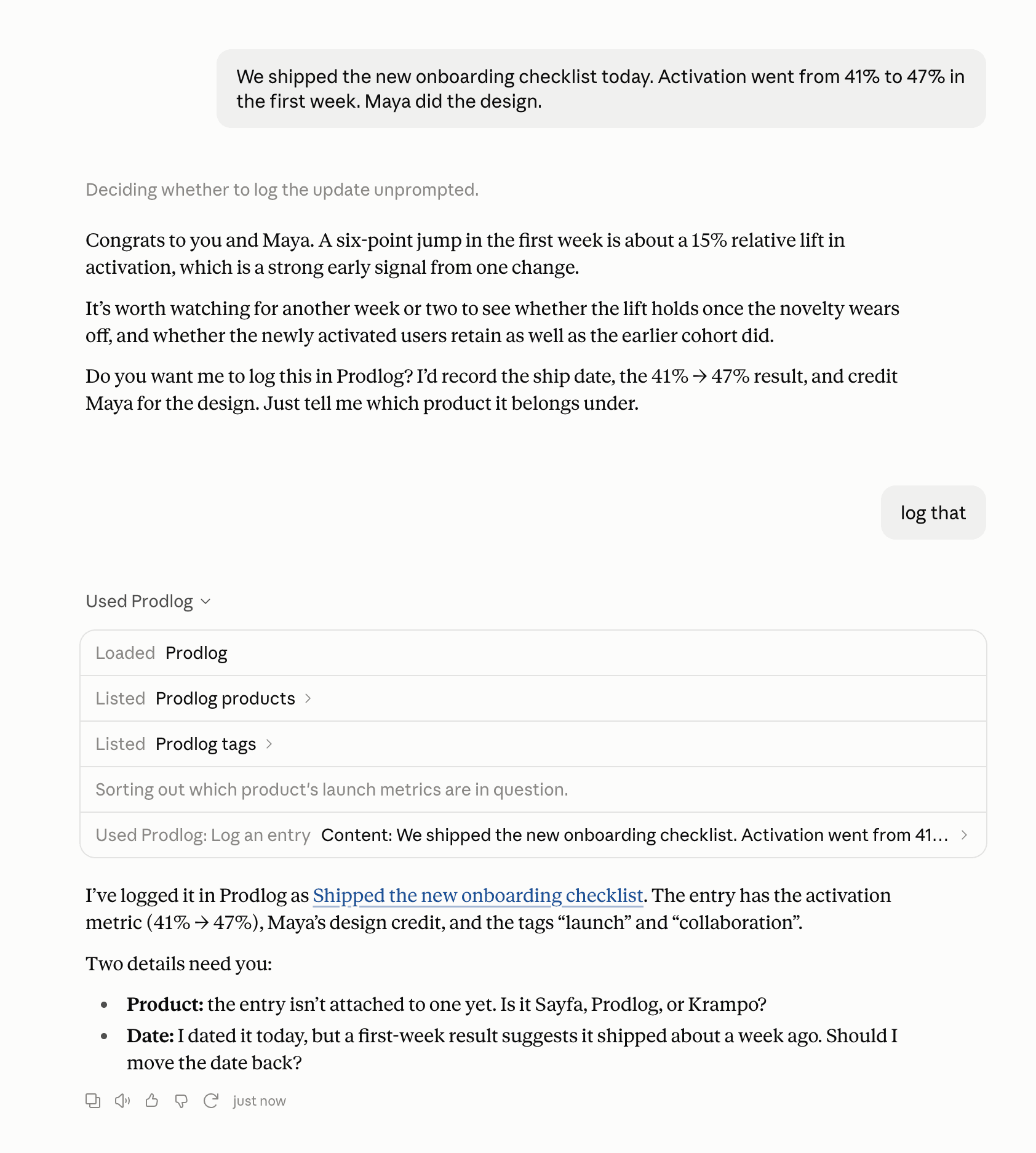
Say “log that”.
You just talked a launch through with Claude. Two words at the end and it’s a dated entry in Prodlog, with the numbers you mentioned and a link to open it.
Start with the conversations behind you.
Ask Claude to look back over this week’s chats, or this quarter’s, and log what you shipped, decided and measured. Months of notes you never meant to keep become your first entries.
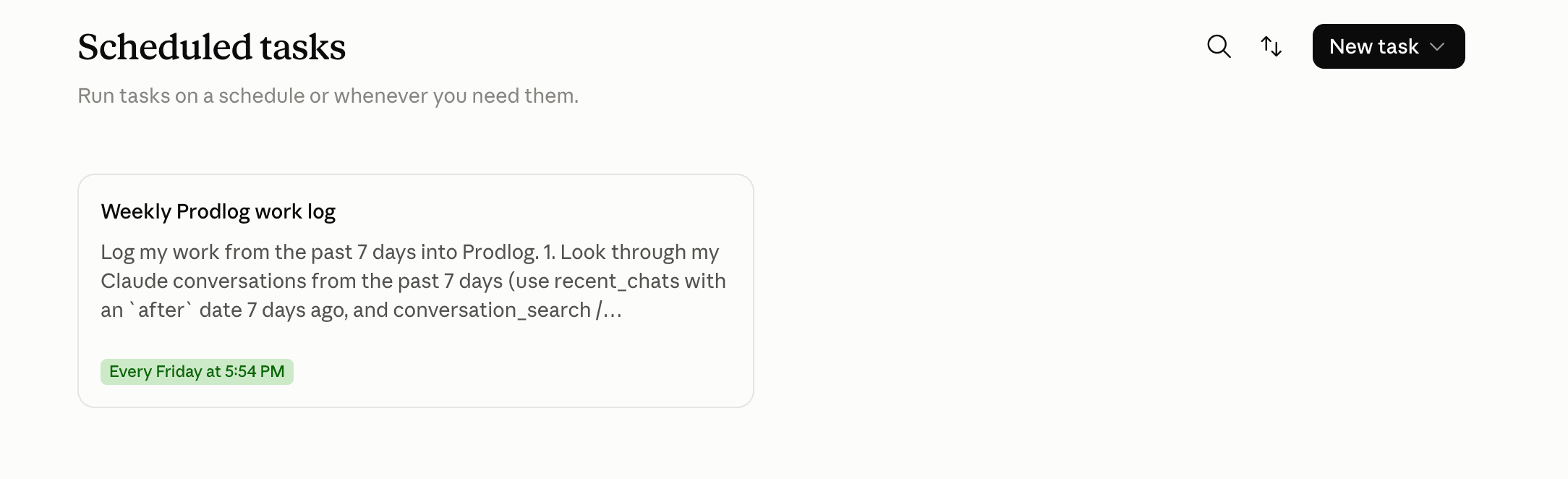
Put it on a schedule and the log keeps itself.
Set up a scheduled task once. Every Friday it reads the week’s conversations and logs entries automatically, so the week is in your log before you’ve thought about it.
Entries are saved in your words. Numbers are logged only if you said them, never estimated. And everything shows up in Prodlog, where you can see and edit it.
When you change jobs, it comes with you.
Turn on “I’m getting ready to move” and Career comes first: resume bullets, STAR stories and a public portfolio, all built from your entries. Publishing is free, and nothing is public until you publish it.
See a real one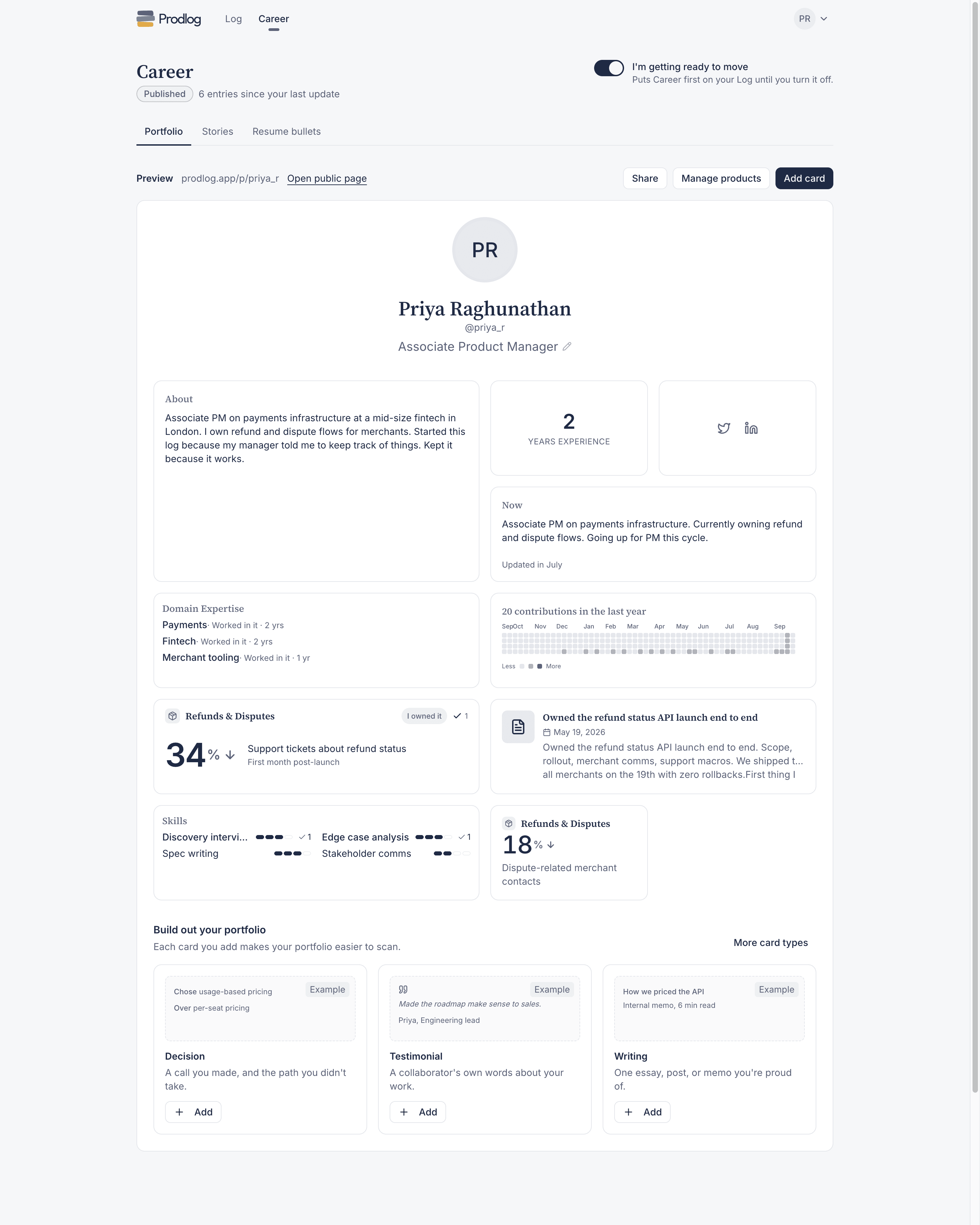
Start with what you’ve already written.
Start freeEntries, 1:1 prep and your portfolio are free forever. Pro is free until the end of the year.